

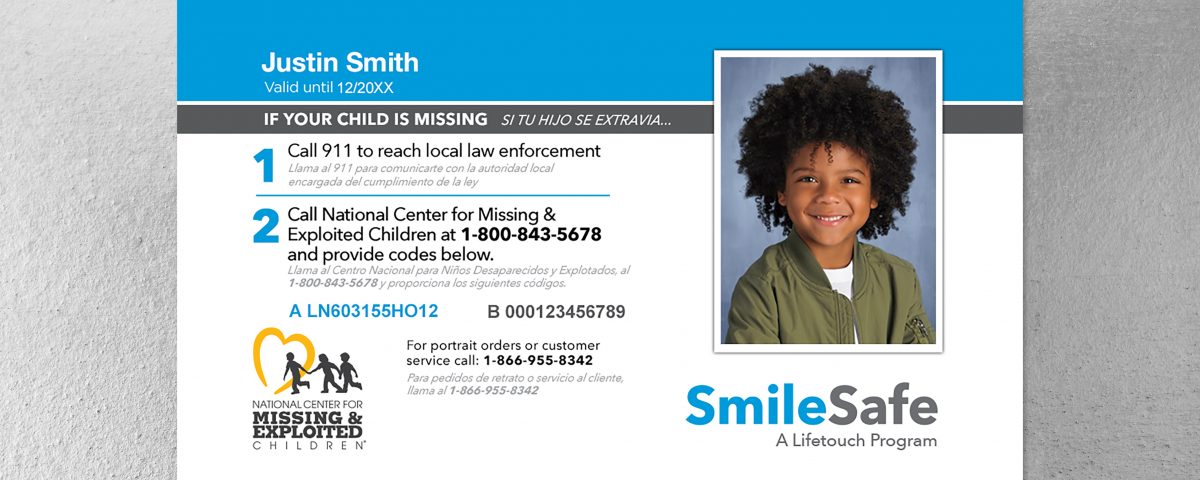
Lifetouch: The Lost Portraits of Our Lives
Introduction
Remember picture day? The awkward smiles, the hastily combed hair, the forced enthusiasm that masked a genuine dread of having your image captured for posterity? For generations, Lifetouch was the silent, often unseen, architect of our collective childhood memories. From elementary school class photos to the slightly more dignified senior portraits, Lifetouch framed our growth, our awkward phases, and our (sometimes questionable) fashion choices. But what happens to all those images once they’re taken? Are they destined to fade into dusty albums, or worse, be lost to the digital abyss?
Explanation of the Problem
We often don’t consider the lasting impact of these seemingly trivial photos. In the short term, they’re a source of amusement, a marker of the year, and a way for busy parents to track their child’s progression. We tack them to refrigerators, send them to grandparents, and occasionally cringe when we stumble upon them years later. But the long-term impact is far more profound. These photos become tangible connections to our past, anchors to our identity, and valuable pieces of family history. They’re the visual evidence of our journey, showing how we’ve changed, how we’ve grown, and who we used to be.
And that’s where the problem lies. With the rise of digital photography, many of these portraits risk being lost, forgotten, or inaccessible. The physical prints fade, get damaged, or simply get misplaced during moves or decluttering efforts. Digital files, while seemingly indestructible, are vulnerable to hard drive crashes, obsolete file formats, and the inevitable forgetting of passwords and storage locations. The result? A slow, silent erosion of our visual history.
Imagine decades from now, your grandchildren wanting to see what you were like as a child. Will those photos be readily available, sparking stories and connection? Or will they be a distant memory, trapped within a corrupted file or a long-forgotten shoebox?
The good news is, we don’t have to let this happen. There are practical, accessible steps we can take to rescue these “lost portraits” and ensure they continue to enrich our lives for generations to come.
Solutions
Solution 1: The Digital Deep Dive – Scanning and Organization
This might seem obvious, but the first step is often the most crucial: digitizing your existing Lifetouch photos. Invest in a quality scanner (or utilize scanning apps on your smartphone) and systematically scan your physical prints.
- Practical Tip: Clean your photos carefully with a soft cloth before scanning to remove dust and fingerprints. This will improve the quality of the digital image.
- Organization is Key: Don’t just dump all your scanned photos into a single folder. Create a logical folder structure, labeling them by year, grade, and/or child. Use consistent naming conventions (e.g., “2005_5thGrade_Emily.jpg”).
- Consider Metadata: Add metadata (descriptions, keywords, and dates) to each photo file. This will make them easily searchable in the future.
Example: The Smith family, overwhelmed by boxes of old photos, dedicated one weekend a month to scanning and organizing. They used a simple spreadsheet to track their progress and ensure consistency in their naming conventions. Now, they can easily access any photo within seconds and share them with family members across the country.
Solution 2: Cloud Storage – The Digital Safety Net
Once you’ve digitized your photos, protect them by backing them up to the cloud. Cloud storage services like Google Photos, Dropbox, Amazon Photos, and iCloud offer varying levels of storage space and features, often with free tiers available.
- Redundancy is Your Friend: Don’t rely on a single cloud service. Consider using multiple platforms to create redundancy and minimize the risk of data loss.
- Privacy Settings: Be mindful of the privacy settings on your chosen cloud service. Adjust them to ensure your photos are only accessible to those you want to share them with.
- Automated Backups: Set up automatic backups to your chosen cloud service to ensure that any new photos you take are immediately protected.
Example: Sarah, a busy mom, uses Google Photos to automatically back up all the photos she takes on her phone. She also periodically uploads her scanned Lifetouch photos to the same account. This ensures that all her precious memories are safely stored and easily accessible from any device.
Solution 3: Lifetouch’s Digital Archive – Reclaiming What’s Yours
Did you know Lifetouch often retains digital copies of the portraits they take? While access might require some effort, it’s worth investigating.
- Contact Lifetouch Directly: Visit the Lifetouch website or contact their customer service department to inquire about accessing archived photos. Be prepared to provide details like the school name, year, and your child’s name.
- Potential Costs: There may be a fee associated with accessing and downloading these photos. However, the cost is often negligible compared to the sentimental value of the images.
- File Format Considerations: Inquire about the file format of the photos you’ll receive. Ensure they are in a commonly used format like JPEG or PNG.
Example: Michael hadn’t seen his childhood elementary school photos in decades. On a whim, he contacted Lifetouch and was surprised to learn they still had digital copies. He paid a small fee and was able to download high-resolution versions of his class pictures, much to the delight of his own children.
Solution 4: The Family Archive Project – Collaboration and Storytelling
Transform your photo rescue mission into a collaborative family project. Involve siblings, parents, grandparents, and other relatives.
- Delegate Tasks: Assign different family members to different tasks, such as scanning, organizing, or adding metadata.
- Share Stories: Encourage family members to share stories and memories associated with the photos. Record these anecdotes and attach them to the digital files.
- Create a Family Photo Album: Use your digitized photos to create a physical or digital family photo album. This will serve as a lasting legacy for future generations.
Example: The Johnson family organized a “Photo Rescue Weekend.” They gathered at their parents’ house, armed with scanners, laptops, and plenty of snacks. They spent the weekend scanning, organizing, and reminiscing about old times. The result was a beautifully curated digital family archive, complete with stories and anecdotes.
Solution 5: The Hybrid Approach – Combining Physical and Digital
Even with digital backups, consider preserving some physical prints.
- Acid-Free Albums: Store your favorite prints in acid-free photo albums or archival boxes to protect them from damage and fading.
- Display Strategically: Choose a few cherished photos to display in your home, but avoid direct sunlight, which can cause fading.
- Regularly Rotate: Rotate the photos you display to prevent long-term exposure to light and humidity.
Conclusion
The key takeaway here is that preserving these visual memories doesn’t have to be a daunting task. By implementing a combination of these solutions, you can effectively rescue your lost Lifetouch portraits and ensure they remain accessible for generations to come.
Ultimately, the effort you invest in preserving these photos is an investment in your family’s history and legacy. It’s a way to connect with your past, celebrate your present, and leave a lasting gift for the future. So, take action today. Dust off those old albums, fire up your scanner, and embark on a journey to reclaim the lost portraits of your lives. You’ll be amazed at the memories you uncover and the connections you strengthen along the way. It’s time to bring those smiles, those awkward phases, and those precious moments back to life.
